 Immersive
Calm Dark for FM27
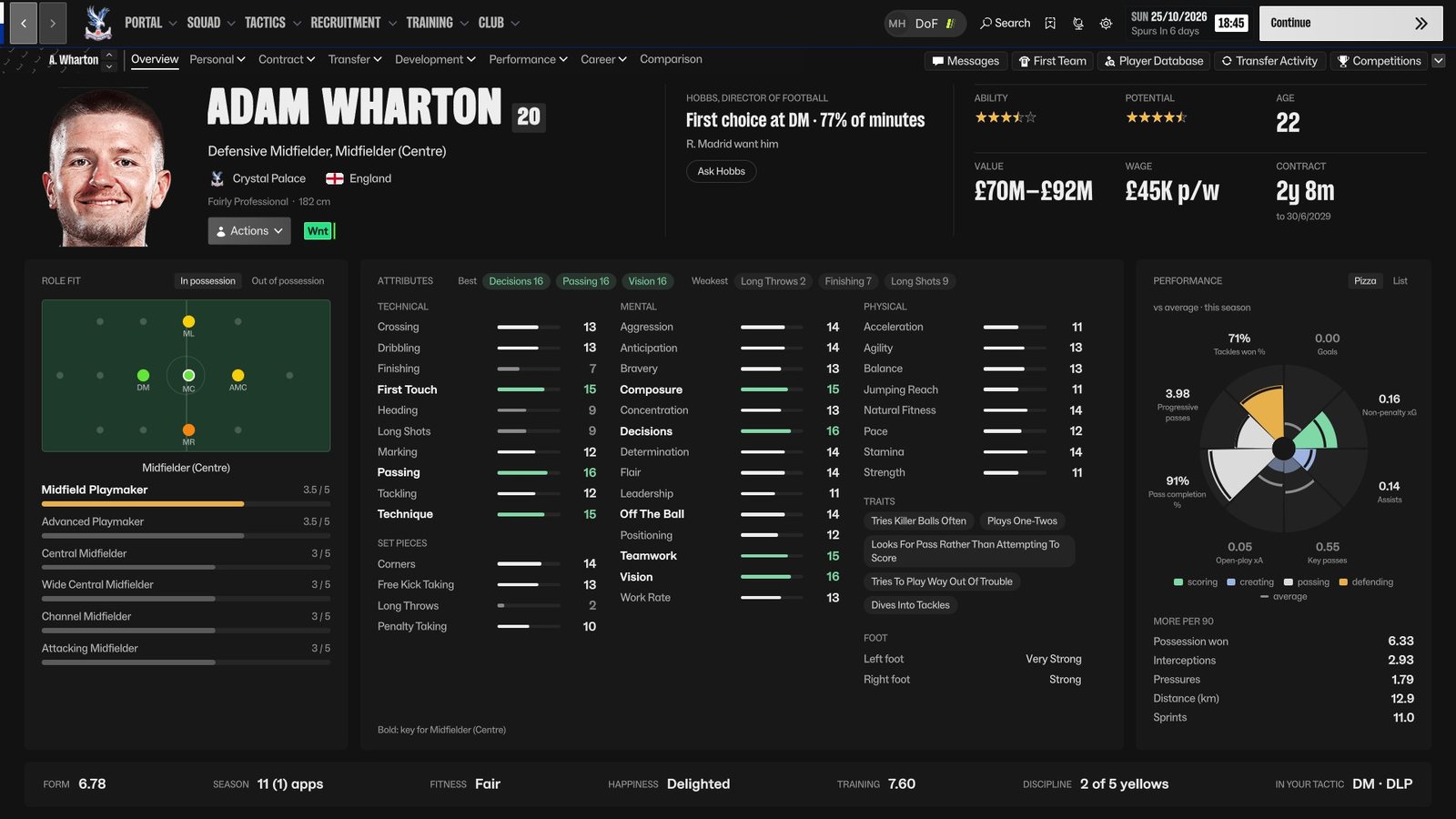
A free, calm, dark skin for Football Manager 27, with a redesigned player profile. Neutral charcoal instead of FM's purples and club colours, fewer boxes, denser tables. It follows the language you play FM in.
Download
v0.27.1 · tested on FM 27.0, Windows and Apple silicon MacThe skin plus a small BepInEx plugin for the profile redesign and the extras; the loader is included.
Verify this download (SHA-256, VirusTotal)
2edf2f208d72eaa45188fcfae9a07114df4c000621a0a0fb56e05e6c14bfab53
In PowerShell: Get-FileHash .\CalmDark-v0.27.1.zip · VirusTotal
Everything the Windows version has. Signed and notarised by Apple: double-click the .pkg, no warnings. M1 or later, macOS 13 or newer.
Verify this download (SHA-256)
53783357714baa0478222e2d982b8041ba7d3309d996a96cbec74411434c0dba
In Terminal: shasum -a 256 ~/Downloads/CalmDark-mac-fm27-v0.27.1.pkg
Calm Dark Lite: the skin alone, for an Intel Mac, Game Pass or Epic, or no mods. The calm look on FM's own layouts, without the redesigned screens. 21 KB · Download Lite
Verify Lite (SHA-256, VirusTotal)
27be5fe25397a33cc3700612883bd0d0d25018778d88b1a29e247042b7411af4
Downloads from this page, my Patreon, SortItOutSI and FMScout are mine; copies elsewhere are not.
Calm Dark is free
It is made by one person, alongside The Director. If it has made FM nicer to look at, there are two ways to say thanks.
A quick thanks for the skin. It goes towards the next screens: Squad, Club > Staff and the match screens.
Buy me a coffeeFor players who also run The Director: members get the hosted chat, no key needed, and the builds first.
Join on Patreon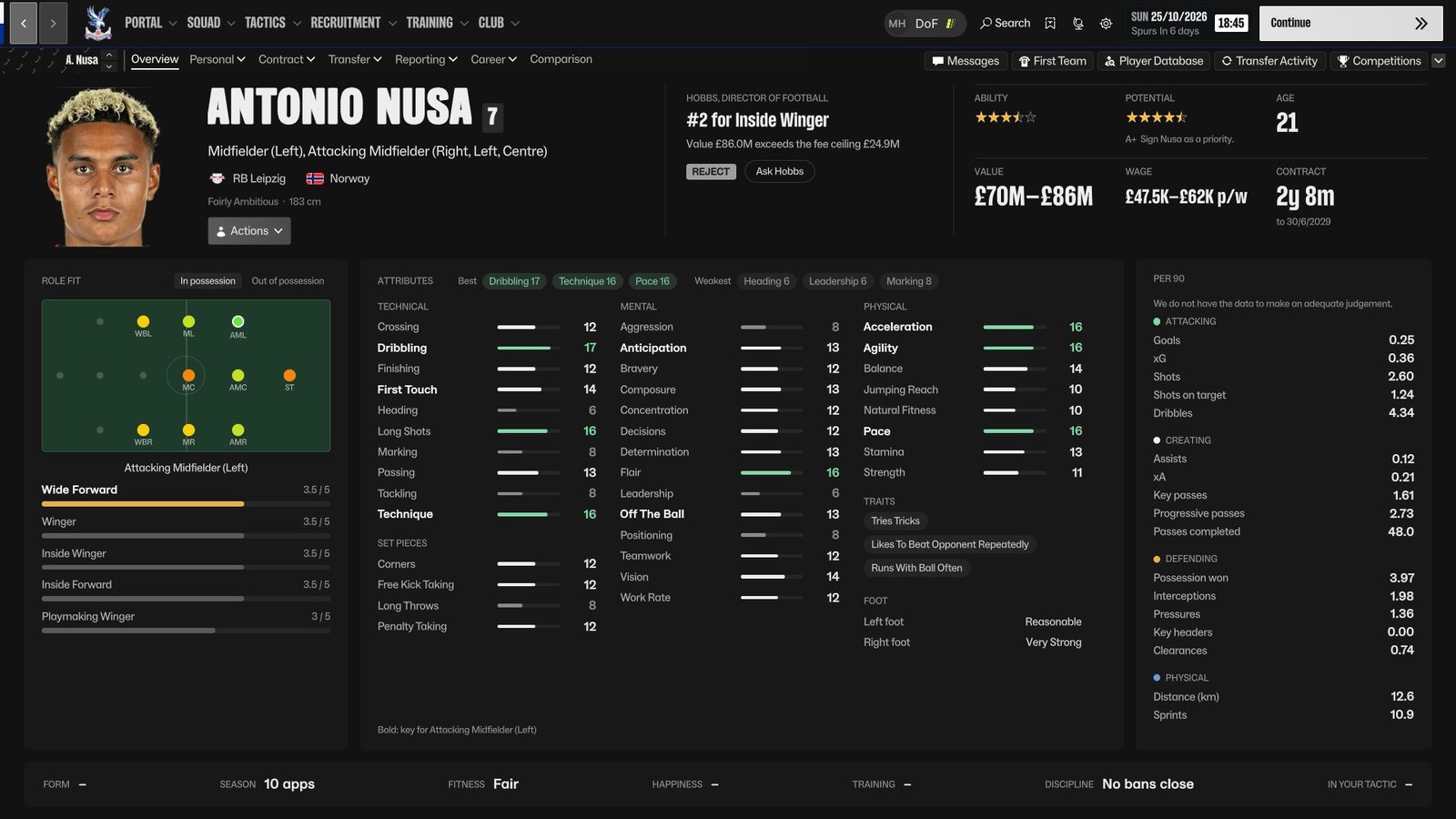
Install, three steps
-
The plugin into your FM27 folderCopy everything inside
1 - into your FM27 folderinto your FM27 folder (Steam: right-click Football Manager 27, Manage, Browse local files), sowinhttp.dllandBepInExsit besidefm.exe. Already using The Director? Merge the folders; the loader is shared. -
The skin into your skins folderCopy the
calm-darkfolder intoDocuments\Sports Interactive\Football Manager 27\skins\(makeskinsif it is not there). -
Pick it in PreferencesStart FM27, open Preferences, and pick Calm Dark at the bottom of the window.
On a Mac: double-click the .pkg, then start FM27 from Steam (the first start takes a minute longer) and do step 3. Next/previous player is fn+Up / fn+Down; the uninstaller is in ~/Applications/ImmersiveFM.
Lite: step 2 and step 3 only. Page Up / Page Down step through players on any profile tab; Ctrl+F7 on a profile switches to FM's own Overview and back. Uninstall: pick FM's default skin, delete BepInEx\plugins\CalmDark. Full notes in the README inside the zip.
Only what FM shows you
Everything on the profile comes from FM's own data, read live. Ability and potential appear exactly as FM would show them: stars for your players, ranges when scouted, Unknown when not. Calm Dark never reveals what FM hides.

Version history
- v0.27.1: Calm Dark on the Mac, the full version, as an installer signed and notarised by Apple (Apple silicon). The Go To Match screen's top bar now reads on light club colours, and its Go To Match button has dark text on the light button.
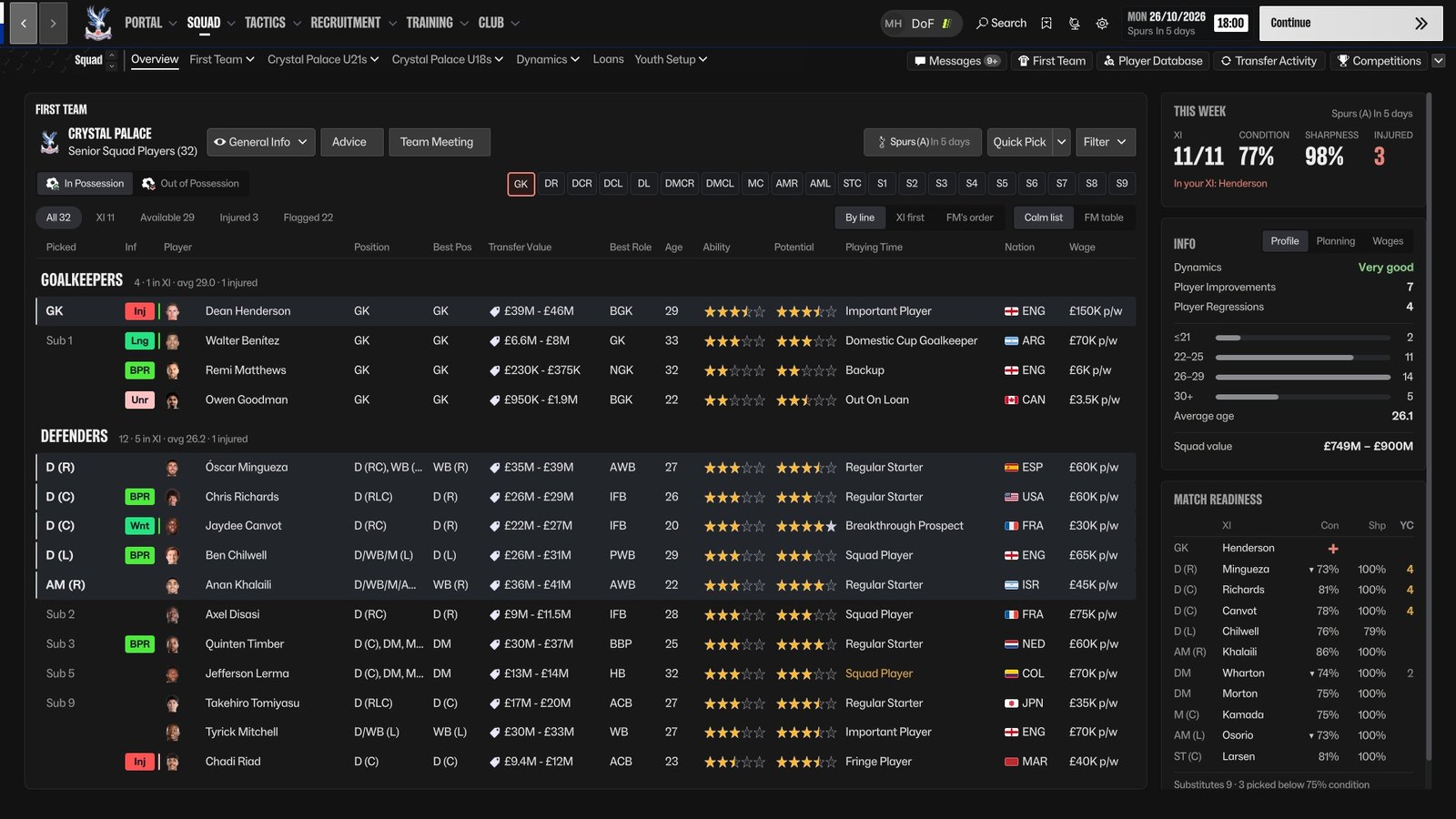
- v0.27.0: the Squad screen redrawn. A calm list in place of FM's table, grouped by line, with condition and sharpness bars, FM's status labels in FM's colours, Match readiness, This Week and squad info beside it, and FM's own menus for one player or a selection. On the profile, two new views beside the pizza: FM's attribute chart and your coach's report. The top bar's text now reads on every club's colours.
- v0.26.6: the profile in every language FM ships. Its own words, the attribute groups, wage, contract, value, form and the pizza's labels and colours follow FM's language (from FM's own translations; first reported in Portuguese). FM's Actions button no longer appears twice after flicking to the next player.
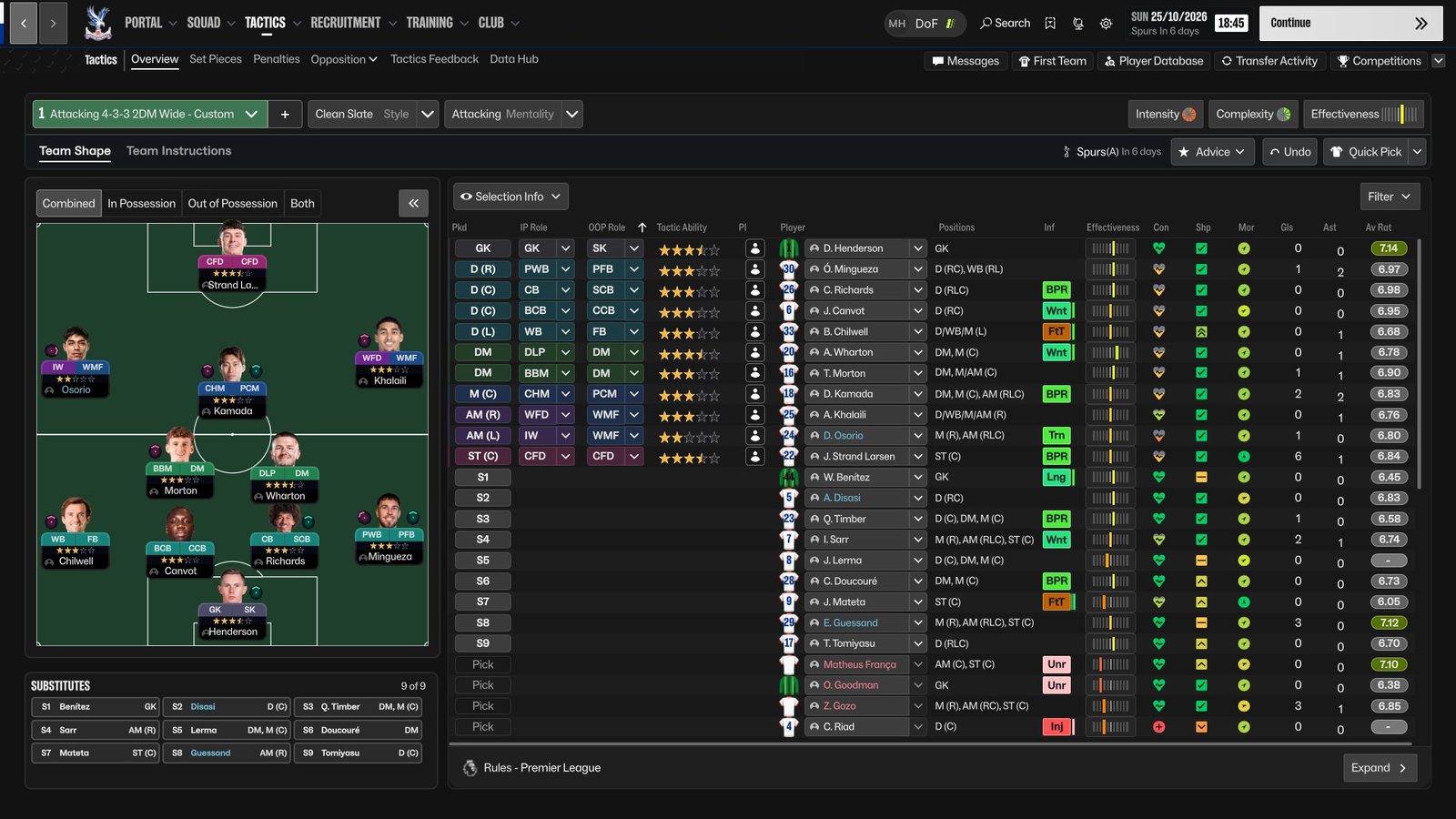
- v0.26.5, first release. The calm charcoal look across FM27, the redesigned player profile, faces on the tactics pitch, next and previous player from the keyboard. Tested at 1920x1080 and 1440x810; FM's Medium and Small display modes are untested. Next: Squad, Club > Staff, the match screens.